Charging your Recoverfun massage gun the right way is the first step to enjoying its soothing power and keeping it working for years. Many people don’t realize that charging is more than just plugging in a cable. A few simple habits can make your device last longer, perform better, and always be ready when you need relief. This article will guide you through every detail of charging your Recoverfun massage gun, from basic setup to troubleshooting, safety, and maximizing battery life. Whether you are a beginner or someone looking for deeper insights, you’ll find clear answers and practical tips here.
Understanding Your Recoverfun Massage Gun Battery
To charge your device correctly, it helps to know what kind of battery it uses. Most Recoverfun massage guns, like the Mini and Plus models, use lithium-ion batteries. These batteries are popular because they are lightweight, store a lot of power, and recharge quickly. But they also need careful handling.
Lithium-ion batteries have a typical voltage of 12V to 24V, depending on the model. The capacity (measured in mAh) usually ranges from 1500mAh to 2600mAh. This capacity controls how long your massage gun runs on a single charge. For example, the Recoverfun Mini has a 2600mAh battery and can run for up to 6 hours on the lowest speed, while the larger Recoverfun Plus might last around 3–5 hours depending on usage.
Why does this matter? If you charge the battery incorrectly or use the wrong adapter, you can reduce battery life or even damage the device. Always check your specific model’s manual for voltage and charging details.
Key Battery Facts
- Type: Lithium-ion
- Voltage: 12V–24V (model-dependent)
- Capacity: 1500–2600mAh
- Run Time: 2–6 hours (depending on model and speed setting)
- Recharge Cycles: 300–500 full cycles before noticeable aging
What You Need Before Charging
Before you start, make sure you have all the right tools and a safe space for charging. Using incorrect accessories or a poor setup can cause charging problems and lower the life of your massage gun.
Essential Accessories
- Original Charger: Always use the official charger that came with your Recoverfun massage gun. Third-party chargers can supply the wrong voltage or current, which may damage the battery.
- Proper Power Source: Plug into a reliable wall outlet. Avoid using public USB ports or laptop USB for charging unless your model supports USB-C charging.
- Clean, Dry Environment: Charge in a dry area, away from water or direct sunlight. Heat and moisture can harm the battery.
Quick Setup Checklist
- Check that the massage gun and charger are dry.
- Inspect the charging cable for damage.
- Make sure the power outlet is working.
- Have the device turned off before plugging it in.
Step-by-step: How To Charge Recoverfun Massage Gun
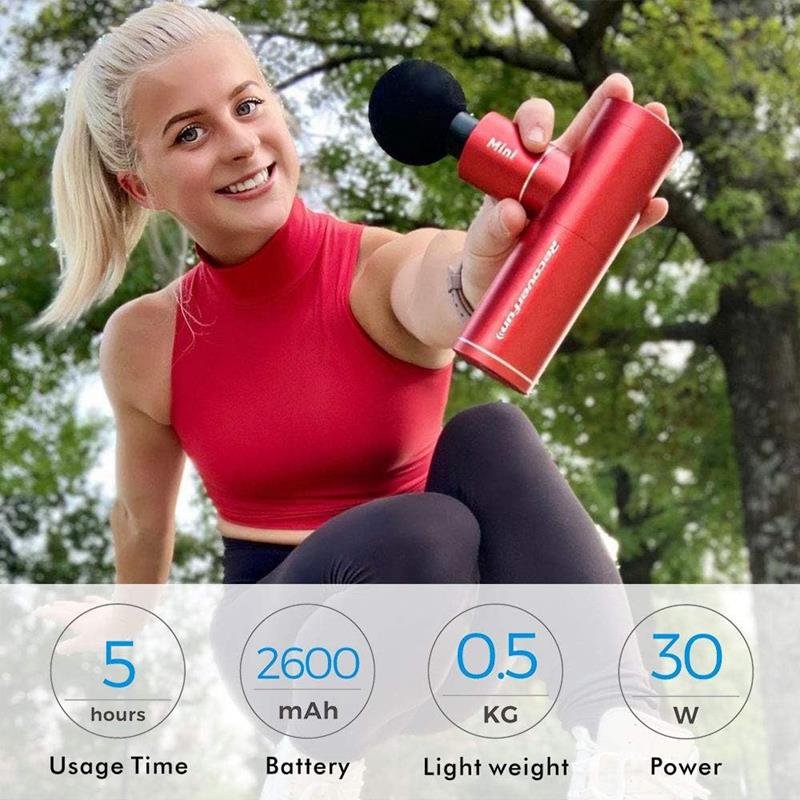
Charging your massage gun is simple, but a few details can make a big difference in safety and performance. Follow these steps for all Recoverfun models (Mini, Plus, or Pro), adjusting for USB-C or DC port as needed.
1. Turn Off The Device
Before plugging in, always turn off your massage gun. This prevents electrical issues and ensures the battery charges smoothly.
2. Locate The Charging Port
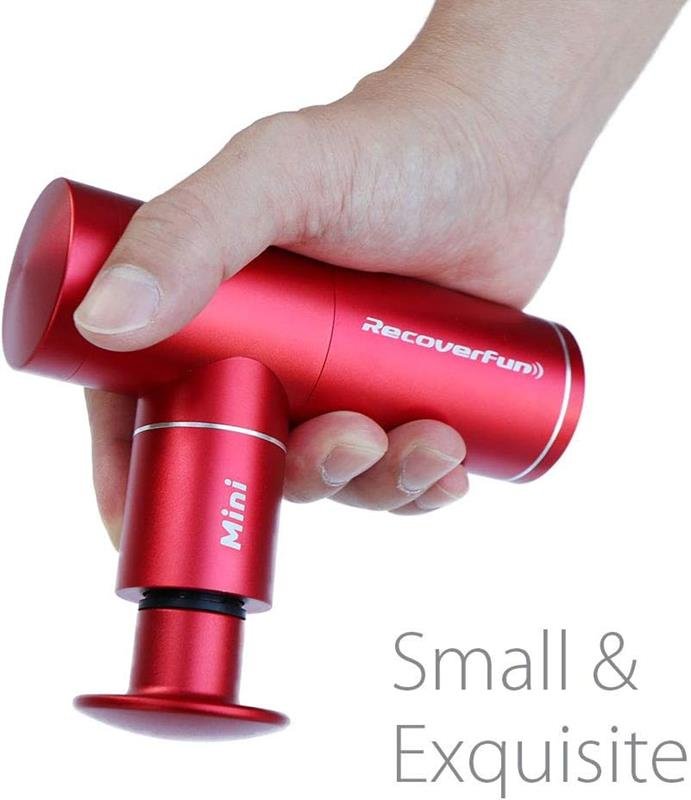
Most Recoverfun massage guns have the charging port at the base of the handle. The Mini uses a USB-C port, while larger models (like the Plus) often use a round DC charging port.
3. Connect The Charger
- For USB-C: Insert the cable into the USB-C port, then plug the other end into a power adapter.
- For DC Port: Connect the round adapter to the gun, then the plug to the wall outlet.
Make sure the charger fits snugly and is not loose.
4. Check Charging Indicators
Your Recoverfun massage gun has LED lights to show charging status. Here’s what they mean:
- Red light: Charging
- Green light: Fully charged
- Flashing light: Error or connection issue (see troubleshooting)
Different models may use bars or battery symbols, but the color rule is the same.
5. Wait Until Fully Charged
Charging usually takes 2 to 4 hours. Don’t unplug too early. For best results, wait until the LED shows green or the battery symbol is full.
6. Disconnect And Store
Once fully charged, unplug the charger. Do not leave your massage gun plugged in for long periods after charging, as this can wear out the battery.
How Long Does Charging Take?
The exact charging time depends on the model and charger output. Here’s a comparison of charging times for popular Recoverfun models:
| Model | Battery Capacity (mAh) | Charging Port | Typical Charging Time | Run Time (Lowest Speed) |
|---|---|---|---|---|
| Recoverfun Mini | 2600 | USB-C | 2–3 hours | Up to 6 hours |
| Recoverfun Plus | 2500 | DC Port | 3–4 hours | Up to 5 hours |
| Recoverfun Pro | 2400 | DC Port | 3–4 hours | Up to 4 hours |
Note: Using a higher-wattage adapter will not make charging faster unless the gun supports fast charging. Always use the recommended charger.

Tips For Maximizing Battery Life
Proper charging is just one part of battery care. If you want your Recoverfun massage gun to last as long as possible, these habits are key:
- Avoid Overcharging: Unplug after it reaches 100%. Leaving it connected for hours after charging can shorten battery life.
- Don’t Let Battery Drain Completely: Try to recharge when the battery drops to about 20–30%. Repeated deep discharges can stress lithium-ion batteries.
- Store with Partial Charge: If you won’t use the massage gun for weeks, store it with about 50% charge. This reduces battery aging.
- Keep Away from Heat: Never charge or store your massage gun in hot environments (like inside a car on a sunny day).
- Use Regularly: Lithium-ion batteries stay healthier when used and recharged often.
Non-obvious Insight: Battery Calibration
Every few months, let your massage gun run until it fully turns off, then charge it to 100% without interruption. This helps the battery gauge remain accurate, so you know how much power you really have left.
Safety Precautions During Charging
Charging any device with a lithium-ion battery requires some basic safety steps. Most problems are preventable if you follow these rules:
- Use Only the Official Charger: Third-party chargers may not have proper safety features.
- Avoid Water: Never charge near sinks, bathtubs, or in the rain.
- Check for Damage: If the cable or charger looks worn or cracked, replace it before charging.
- Don’t Cover While Charging: Charging generates heat. Keep the massage gun in the open, not under pillows or blankets.
- No Charging While Using: Don’t try to use the massage gun while it’s charging, as this can damage both battery and motor.
If you notice unusual smells, smoke, or the device getting very hot during charging, unplug immediately and move the device to a safe area.
Troubleshooting Charging Problems
Sometimes, your Recoverfun massage gun may not charge as expected. Here’s a quick guide to common issues and how to solve them.
Device Won’t Charge At All
- Check if the power outlet works with another device.
- Try another compatible charging cable, if available.
- Inspect the charging port for dust or debris—use a soft brush to clean.
- Confirm that the charging indicator light turns on. If not, the battery or charger may be faulty.
Charging Indicator Blinks Or Shows Error
- Blinking lights often mean a loose connection or battery issue.
- Make sure the charger is fully inserted.
- If the problem continues, reset the device (see manual) or contact customer support.
Battery Charges Slowly
- Using a low-power USB port can slow charging. Use the wall adapter.
- Extreme cold or heat can reduce charging speed—move the device to room temperature.
Device Overheats During Charging
- Stop charging immediately.
- Let the massage gun cool down before trying again.
- If overheating continues, the battery may be damaged—do not use until checked.
Battery Drains Too Fast
- Check if you are using the highest speed setting; higher power drains battery quicker.
- Batteries lose some capacity with age (after 300–500 charge cycles).
- If the device is under warranty, consider requesting a replacement battery.
How To Know When To Replace The Battery
Lithium-ion batteries do not last forever. After many charging cycles, you may notice shorter run times or the battery won’t charge fully. Signs it’s time for a replacement include:
- Run time drops below 50% of original
- The device shuts off suddenly even with charge left
- Battery won’t charge past a certain percentage
Most Recoverfun massage guns have built-in batteries, so you may need professional service to replace them. Do not try to open the device yourself unless you have the right tools and experience.
Comparing Recoverfun With Other Massage Guns
Many people wonder if charging a Recoverfun massage gun is different from other brands. The truth is, the basic charging steps are similar, but there are some unique features.
| Brand | Charging Port Type | Can Use While Charging? | Battery Replaceable? | Supports Fast Charging? |
|---|---|---|---|---|
| Recoverfun | USB-C / DC Port | No | No (most models) | Some models |
| Theragun | DC Port | No | Yes (some models) | Yes |
| Hypervolt | DC Port | No | Yes | No |
| RENPHO | Micro-USB / DC Port | No | No | No |
Non-obvious tip: Some users try to use their phone’s USB-C charger for the Recoverfun Mini. This works, but make sure your charger outputs at least 5V/2A for proper charging speed.
Common Charging Mistakes To Avoid
Even experienced users can make charging mistakes that shorten battery life or risk device safety. Here are the top mistakes to avoid:
- Using third-party chargers: Only the supplied charger is guaranteed safe.
- Charging overnight, every night: This stresses the battery.
- Leaving the device in a hot car: Heat damages lithium-ion batteries quickly.
- Letting the battery die completely: Deep discharge reduces battery lifespan.
- Using the device while charging: This can overheat the battery and motor.
If you avoid these habits, your Recoverfun massage gun will stay reliable and safe for much longer.
Charging When Traveling
Many people carry their massage gun on trips. Charging while traveling is safe, but remember:
- Check voltage compatibility: The charger should support 110–240V for international use (most do).
- Bring a plug adapter: Outlets differ around the world.
- Carry the charger in your carry-on: Most airlines allow lithium-ion batteries under 100Wh in carry-on luggage.
- Don’t charge in extreme cold: Lithium-ion batteries charge poorly below 32°F (0°C).
If you travel often, consider the Recoverfun Mini—it uses USB-C, which is easy to find worldwide.
How To Store Your Massage Gun And Charger
Proper storage protects both the battery and charger. Here’s what to do:
- Store the massage gun at room temperature (59–77°F or 15–25°C).
- Keep the battery charged at about 50% if storing for more than a month.
- Avoid damp, dusty, or overly hot locations.
- Wind the charging cable loosely to avoid kinks.
If you live in a humid area, keep a small silica gel packet in the storage case to absorb moisture.
When To Seek Professional Help
Most charging problems can be fixed at home, but some require expert help. Contact customer service or a professional repair shop if you notice:
- The device won’t turn on after charging, and you’ve tried different outlets and chargers.
- The battery swells, leaks, or smells odd.
- The charging port is loose, broken, or has damaged pins.
Never try to open or repair the battery unless you are trained. Lithium-ion batteries can be dangerous if punctured.
Frequently Asked Questions
What Should I Do If My Recoverfun Massage Gun Doesn’t Charge?
First, check if the charger and cable are working with another device. Clean the charging port gently. Make sure you are using the original charger. Try a different wall outlet. If none of these work, the battery or charging circuit may be faulty and needs professional attention.
Can I Use My Phone Charger For The Recoverfun Mini?
Yes, you can use a USB-C phone charger for the Recoverfun Mini, but make sure it offers enough power (at least 5V/2A). Lower power chargers will work but charge more slowly. Always avoid cheap, unbranded chargers for safety.
How Long Should I Charge My Massage Gun For The First Time?
For the first charge, allow it to reach 100%, which usually takes 2–4 hours. There is no need to overcharge or “condition” lithium-ion batteries, but it’s good to charge fully before first use.
Is It Safe To Leave My Massage Gun Charging Overnight?
While Recoverfun massage guns have safety circuits, it’s best not to leave them charging overnight regularly. Unplug once fully charged to prolong battery health and reduce risk.
Where Can I Get A Replacement Charger Or Battery?
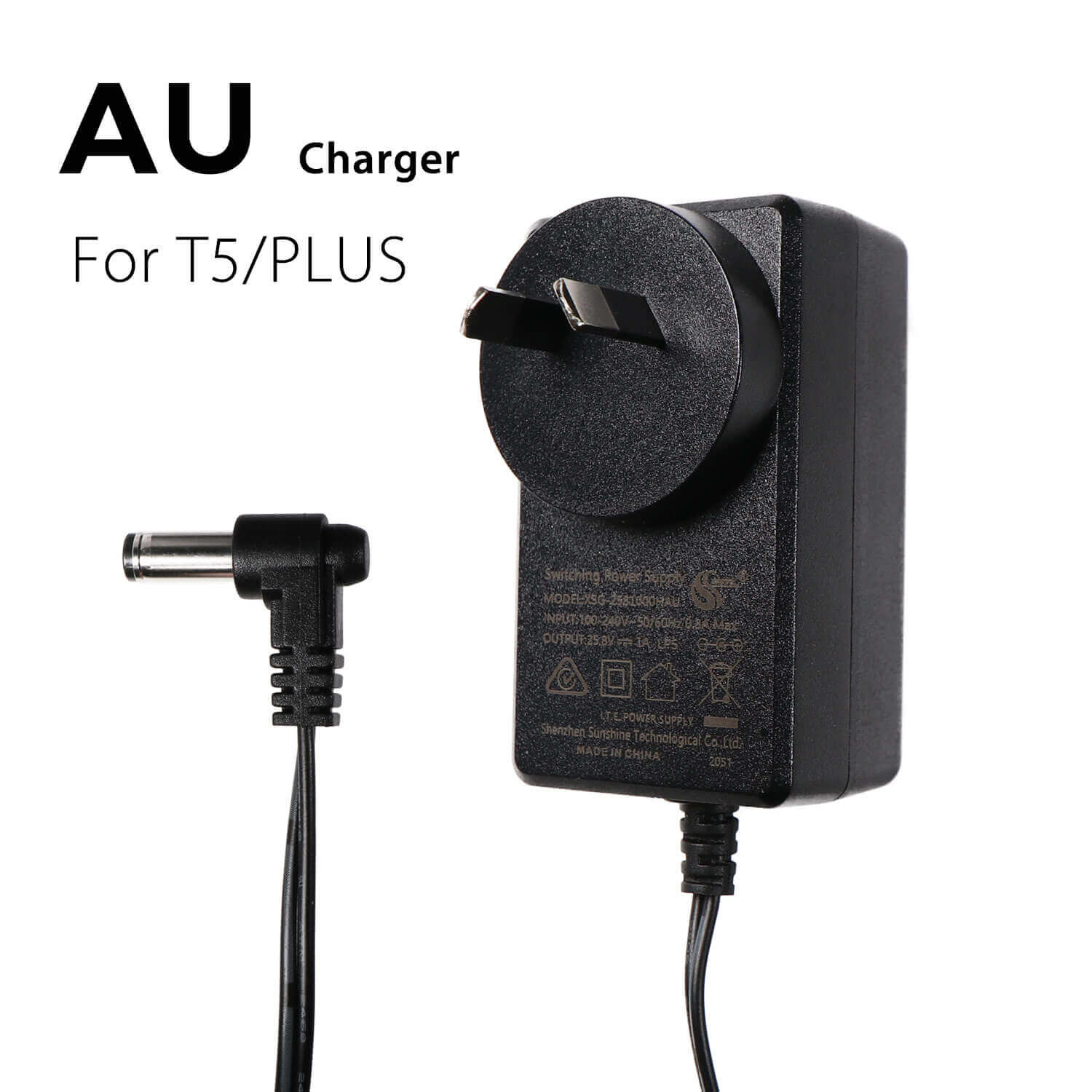
Always buy from the official Recoverfun website or trusted retailers. Third-party chargers may not meet quality or safety standards. For battery replacements, most models need professional service. Check your user manual or contact customer support for guidance. For more details, visit the official Recoverfun site.
A well-charged Recoverfun massage gun can make a big difference in your daily wellness routine. By following these steps and tips, you’ll ensure your device stays safe, powerful, and ready whenever you need relief. A little care goes a long way—charge smart, use wisely, and enjoy the benefits for years to come.